MDF CELL

Media/Digital/Foto

NCH Software Video Converter Home
Download | Screenshots | Purchase | Support | Products | SiteMap

Prism Video Converter Software

Convert AVI MP4 WMV MOV MPEG FLV and other video file formats

Prism is the most stable and comprehensive multi-format video converter available and is very easy to use.
  • Convert or compress video files within minutes of downloading
  • Universal video converter supporting all popular formats
  • Includes batch video conversion to convert thousands of files
  • Free version available for non-commercial use (see below)
Click here to download Prism Video Converter for Windows Download Prism AVI / Video Converter for Windows


Supported Video File Formats:
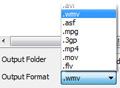
avi, asf, divX, flv, mov, wmv, mpeg, mp4,
3gp, mpeg1, mpeg2, mpeg4, m4v, vob, dvd
ogm, H.264, Xvid, and many more video formats.

Download Prism avi converter software

Adjust video settings easily

Prism lets you set compression/encoder rates, resolution and frame rate of output files. Prism supports everything from HD to high compression for smaller files. You can even set a specific size for output files.

Direct DVD converting

Add video files directly from DVDs.
Just select the DVD you want to convert, choose the format you want to use, and then click the convert button. It's that easy!
DVD video file conversion

Convert video formats

Prism converts avi, mpg, vob, asf, wmv, mp4
and all video formats that have a DirectShow based codec. If you can play the video file using Windows Media Player, you can convert it using Prism.
Video formats supported by Prism.
MPEG MP4 WMV MOV FLV 3GP and AVI converter plus other video file formats

Preview videos before converting

Preview original videos and output results before converting.

Purchase Prism Video Converter

Get it Free. A free version is available for non-commercial use only. The free video converter supports fewer encoding formats for home use. You can download the free version here.

Video Converting System Requirements

  • Works on Windows XP Vista/2008/7
  • For earlier versions please see Windows 98/ME and Windows 2000 respectively for legacy software.
  • Mac OS X 10.4 or later

Download Prism Video Converter Software


Works with other NCH Software

Click here to learn more about DVD Burning Software.
Burn your videos to DVD with Express Burn DVD burning software.

Click here to learn more about Slideshow Creator Software.
Create slideshows with PhotoStage Slideshow Creator to combine videos and images.

Click here to learn more about Free Video Editing Software.
Edit your converted video with VideoPad Video Editor to create movies.


Useful links

Download Prism
Questions (FAQs)
Technical Support
Video Software
Graphics Software
Mac Software

Related Video Converter Software

DVD Burning Software
DVD Label Software
VHS to DVD Converter
Video Capture Software
Video Broadcast Software
See More Software...

Top | Privacy | Legal | Video Software Home
© NCH Software

Software Simple cetak Photo 2x3, 3X4, dan 4X6

Kalo bingung berarti kita sama dunk... Wkwkwkwkwkwkw Kebetulan banget saya di ngumpulin foto 2X3 dan 3X4 masing-masing 5 lembar, dan itu harus dicetak sesegera mungkin. Yaah kalo mesti pergi ke studio foto buat cetak kilat, rasa-rasanya rugi banget. peacepeacepeace Bukan rugi secara finansial lo, kalo masalah uang sih paling keluar berapa cuci cetak pake print. Yang saya pikir rugi adalah, ketidakmampuan saya untuk nge-print foto tersebut. Hehehe sengihnampakgigisengihnampakgigisengihnampakgigi Rugi kalo gak bisa, itu aja kok alasannya.

Fasilitas udah ada, print udah lumayan bagus untuk urusan cetak mencetak, terus tinta masih banyak, kertas foto juga ada. Hehehehe Akhirnya tanpa ragu saya pun bertanya padaom google, dan seperti biasa, om google memberikan pelayanan yang memuaskan. Hehehehe sengihnampakgigisengihnampakgigisengihnampakgigi
Dari om google, saya diantar menuju forum djawir, yang kebetulan saya punya accountnya di sana. Baca-baca dulu seperti biasa, dan yuuppzz ketemu cara yang cukup ampuh, yakni menggunakan software ACD Systems FotoSlate update-an terbaru.. Wkwkwkwk peacepeacepeace

Yaah kalo dari awal sih pasti bingung, tapi ternyata udah ada member forum tersebut yang bikinkan templatenya untuk ngeprint ukuran foto 2X3, 3X4, dan 4X6... Thanks berat untuk om N280... Hehehehe sembahsembahsembah Jadi tinggal drag and drop, susun dan print... Wiiiww selesai deh, guampang banget... sengihnampakgigisengihnampakgigisengihnampakgigi

Naah sekarang, kalo sampeyan-sampeyan juga punya permasalahan yang sama dengan ane, saya persilahkan untuk ngunjungin forum tersebut. Tapi, jikalau sampeyan pengen rada-rada cepat silahkan unduh software ACD Systems FotoSlate 4.0.66 dengan link yang ada di bawah software tersebut udah termasuk serial number-nya loh... Hehehehe sengihnampakgigisengihnampakgigisengihnampakgigi. Kalo template buat nyetak foto ukuran 2x3, 3x4, dan 4x6 bisa sampeyan unduh dengan link yang ada di bawah juga, Hehehehe. Page 1 untuk foto ukuran 2X3, page 2 untuk 3X4 dan page 3 untuk 4X6. Hohohoho

Oke deh semoga aja postingan ini dapat bermanfaat bagi kita semua.
Password : www.yudha.us
Download ACD Systems FotoSlate 4.0.66
ACD Systems FotoSlate 4.0.66 serial number